
Tour
See how it works
Follow one article, "Getting around the Azores without a rental car", from its sources to the cited draft. These are the plugin's real screens, in Guided mode.
Step 1 of 5
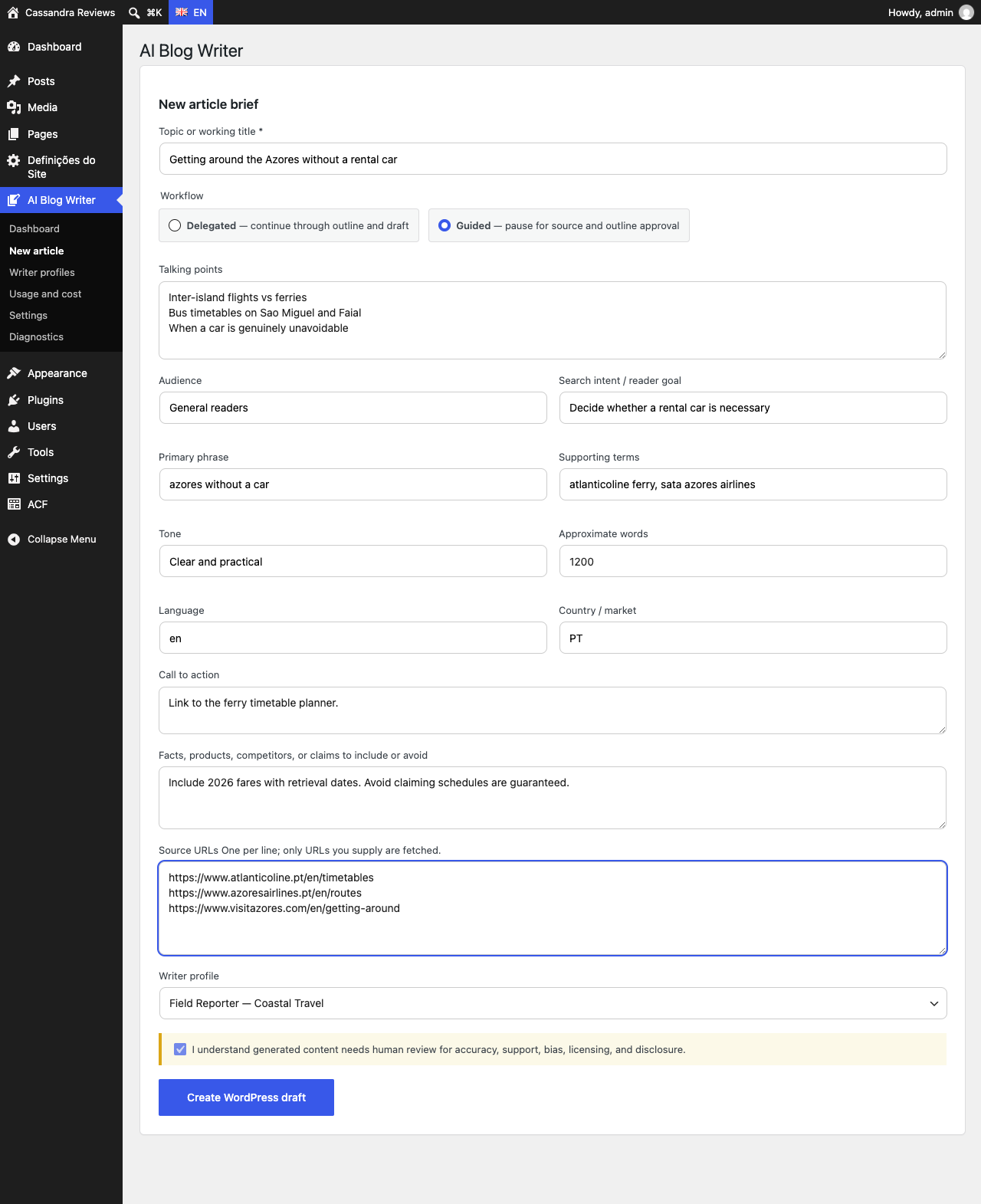
Write a brief, not a prompt
Give it a topic, or ask for six topic ideas your recent posts don't already cover. Add the reader goal and keywords, or let it suggest them, then paste the pages you trust: only those URLs are fetched. Pick the writer profile whose voice the article should have.
Look for "Need a topic? Get ideas", "Suggest keywords for this topic", and the Source URLs box.
Step 2 of 5
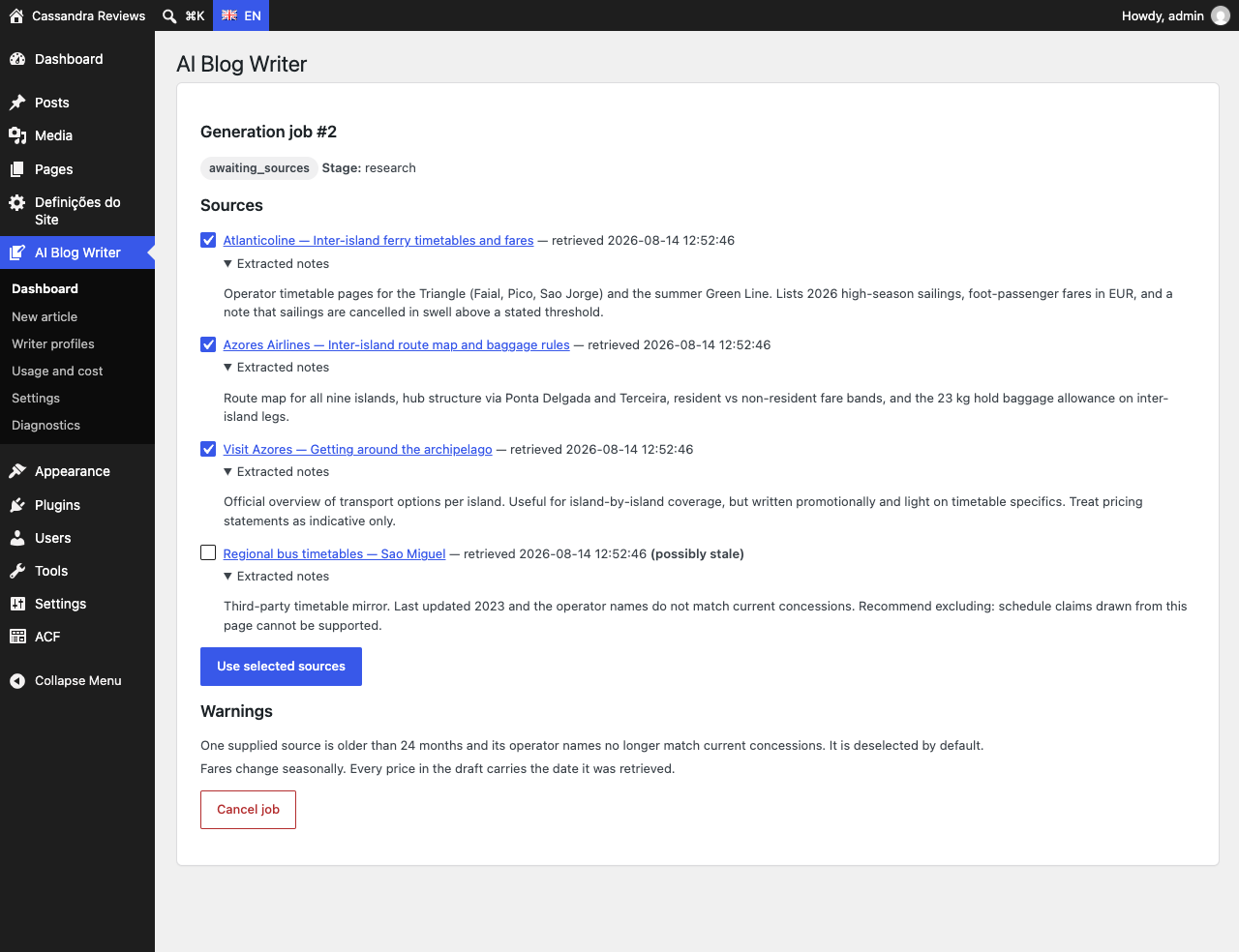
Check what it read
In Guided mode the job pauses after research. Each source shows the notes extracted from it and the date it was retrieved, and a page published more than five years ago is marked as possibly stale. Untick anything you don't want the article to rest on.
Look for the "possibly stale" source, unticked here, and the warnings under the list.
Step 3 of 5
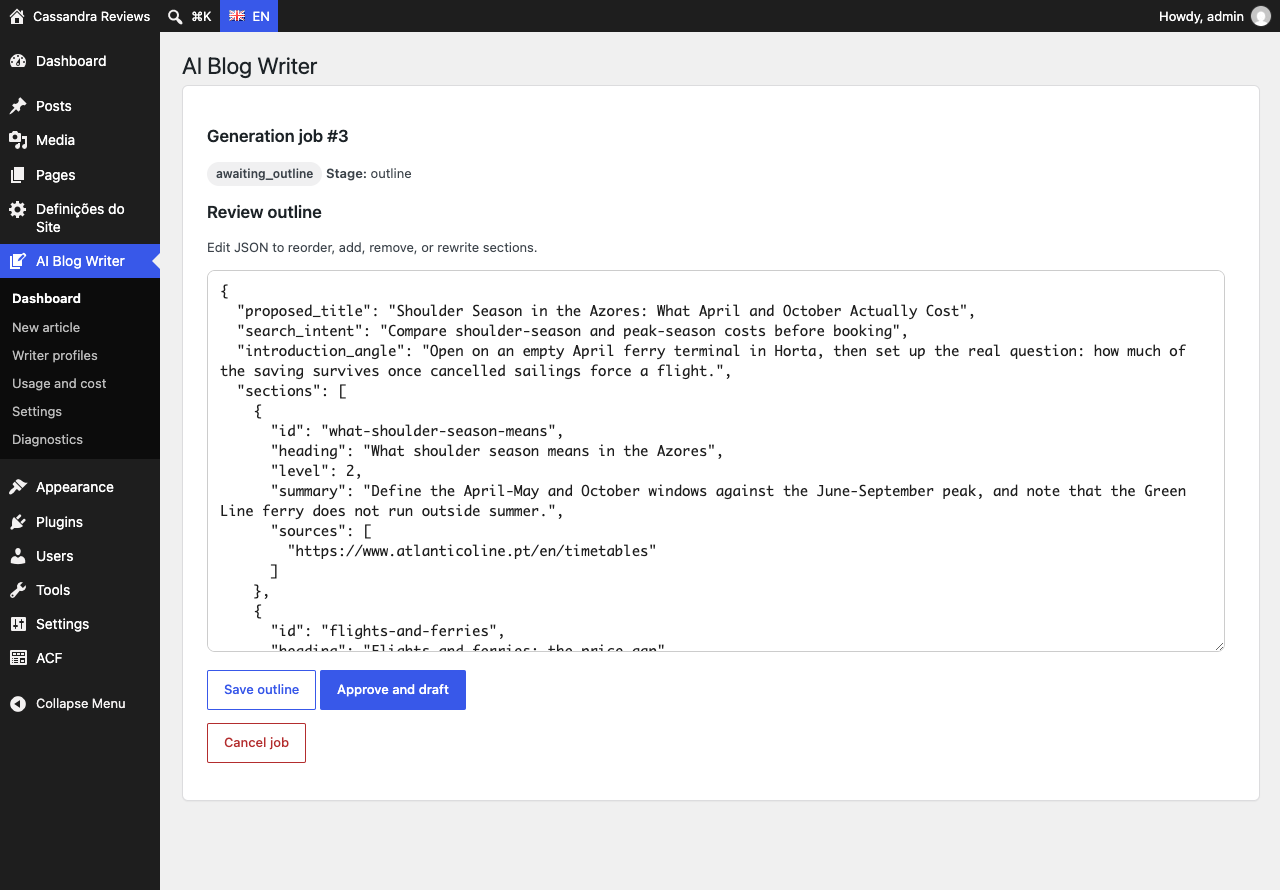
Approve the outline
Before any article text exists, reorder, add, remove, or rewrite sections. Each section lists the sources it will draw on.
Look for the "sources" under each section, then "Approve and draft".
Step 4 of 5
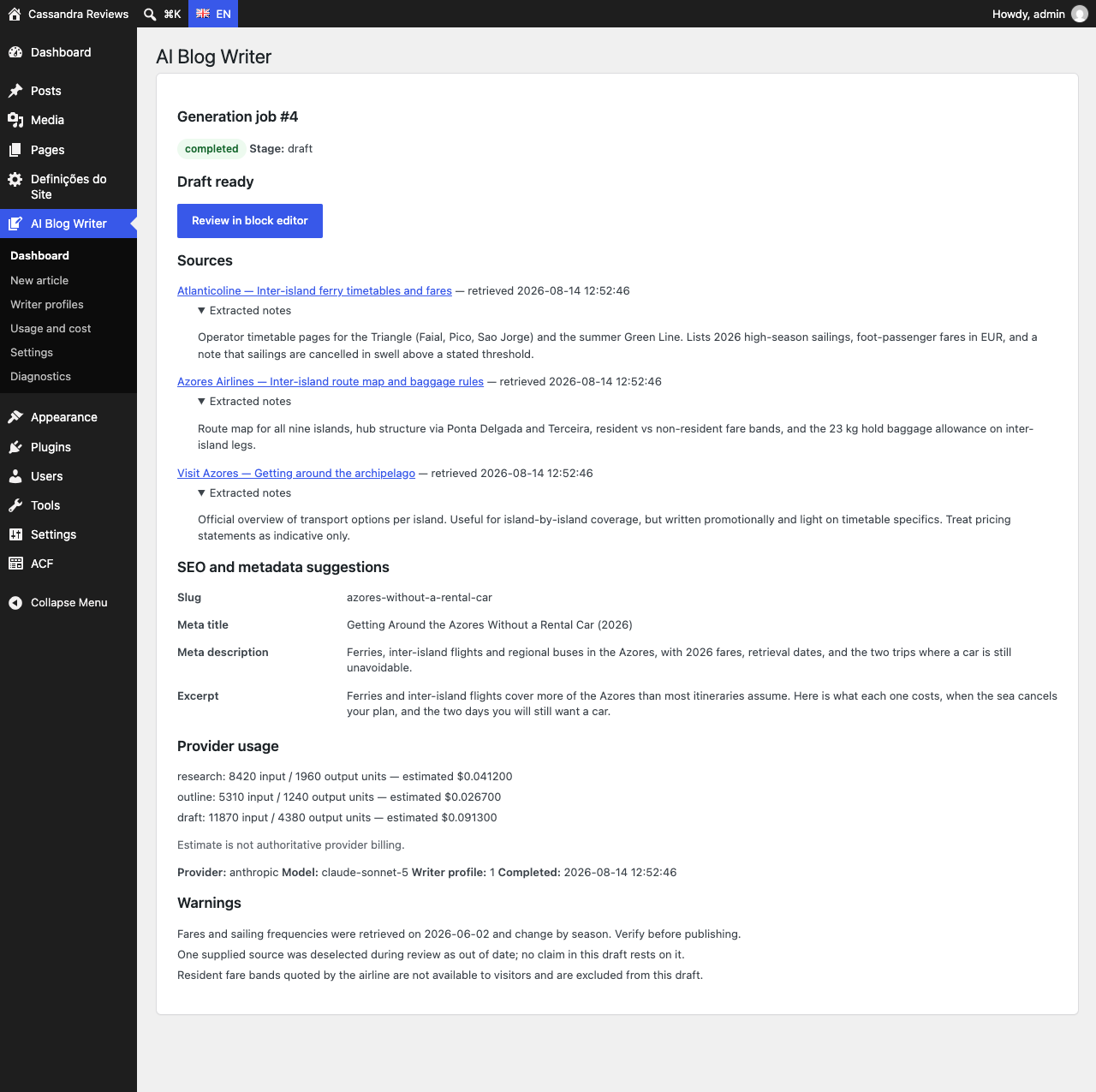
Get a draft you can audit
The job ends with a WordPress draft, never a published post. The job page lists the sources used, SEO suggestions, the provider usage and estimated cost, and warnings for anything the draft couldn't confirm.
Look for "Review in block editor", the source list, and the warnings.
Step 5 of 5
Check and fix it in the editor
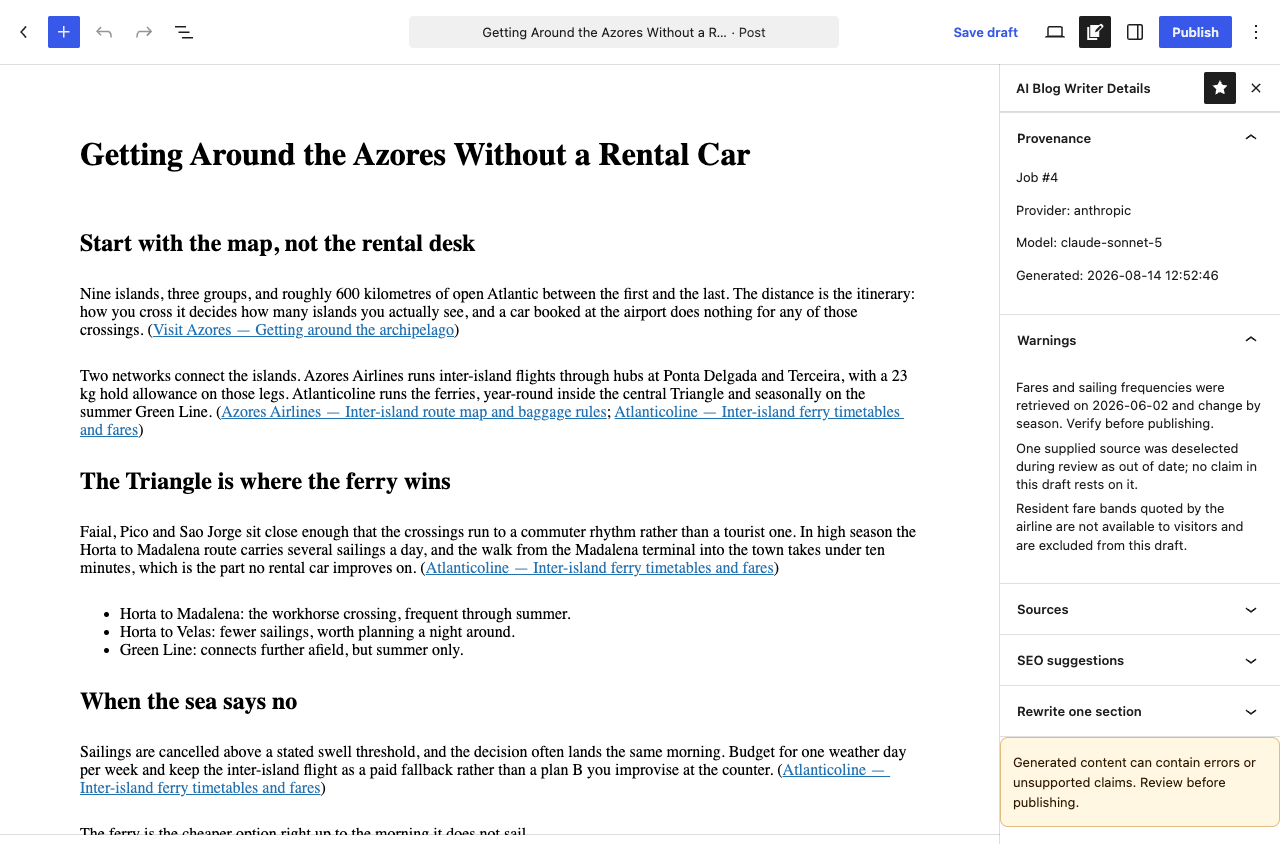
The draft is ordinary blocks with inline citations next to the claims they support. The sidebar keeps the provenance (provider, model, time), the warnings and the sources. Rewrite one section, or regenerate it from the sources you tick.
Look for the citation links in the text and "Regenerate using selected sources" in the sidebar.
Try it on your own site
The plugin is free and runs on your own OpenAI, Anthropic, Google or xAI key. The setup guide takes you from installing it to your first draft.
Want it to find the sources and check every claim against them? See AI Blog Writer Pro.